


Spider Solitaire - Card 2026
4.5200.00 Reviews
App Specs
- Version
- 1.0.8
- Updated On
- License
- Free
- Downloads
- 100,000+
- Developer
- NiuAIGO
- Categories
- Card
- Platform
- Android
Screenshots
 Analysis by AppCompare
I tend to judge a solitaire app by what happens after the first few hands: does it give me a reason to think about my next move, or does it become a repetitive way to fill a minute? Spider Solitaire - Card 2026 leans on the familiar appeal of Spider Solitaire, where careful sequencing matters more than speed. That makes it a natural fit for short breaks, but also gives patient players room to plan several moves ahead.
Starting with a clear, manageable goal
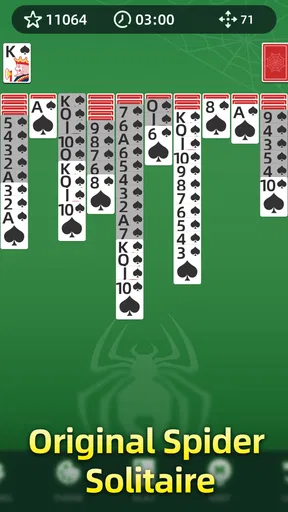
The basic aim is easy to understand: organize the cards into completed sequences while keeping the columns workable. For a new player, I’d begin by focusing on building descending runs in the same suit rather than moving cards just because a space happens to be open. That small habit makes later rearrangements easier and gives each move a purpose.
In a quick session, I would treat the first few turns as a scan, not a race. Look for cards that uncover hidden cards, and consider whether a move will leave a useful place to work. An empty column can be valuable, but it is not automatically helpful if there is no sensible sequence ready to move into it. This is the kind of simple decision that makes Spider feel more thoughtful than a basic tap-and-match card game.
Progress you can feel without a complicated system
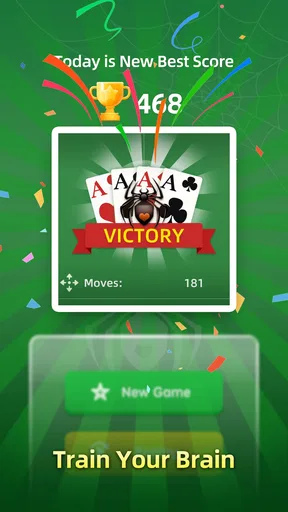
The clearest progress signal here is the state of the tableau itself: a tidy run, a newly exposed card, or a column that has become easier to manage. I like that this gives a hand its own small milestones. You do not need a long-term checklist to see whether a plan is working; the board shows it immediately.
That also shapes how I use hints and undo. A hint is useful when I have scanned the columns and still cannot see a productive move, but I try not to tap it automatically after every pause. Undo is better used as a learning tool: reverse one decision, compare how the board changes, and remember why the alternative was stronger. If you simply undo until a move looks convenient, you can lose the strategic part of the game.
Challenge and pacing across a session
Spider Solitaire rewards a measured pace. I can play a hand while waiting for an appointment, then return to the same kind of puzzle when I have more time. The challenge comes from managing blocked cards and limited spaces, not from reacting quickly, so it suits people who like calm concentration more than reflex-based games.
For a practical routine, I’d use an easier setting to learn how sequences and empty columns interact, then raise the difficulty when the basic choices feel familiar. On tougher hands, I would pause before dealing more cards and make sure the existing columns are as organized as I can get them. Dealing into a cluttered layout can make the next stage harder to manage, so a moment of cleanup is often worth more than a quick tap.
Worth Reading Before You Choose

EA SPORTS FC Mobile 26 Is a Bigger Football Game, but It Takes Time

Flipboard Shows What News Apps Must Do Beyond the Feed

Switching to Android Auto Means Rethinking Your Driving Routine

Google Calendar Makes a Crowded Week Easier to Manage

Ludo King Makes the Most of the Minutes Between Plans

Baby Panda World Brings Quick Play to Modern Phones, but Its Game Library Feels Busy
Who will enjoy it, and who may want something else
This is a good match for anyone who wants a quiet card puzzle with rules that are easy to revisit. It can work during a commute if you have a seat and can give the screen a little attention, or at home when you want a low-pressure break that still involves decisions. If you prefer competition, a story, or frequent new mechanics, a multiplayer card game or a more varied puzzle title may hold your interest longer.
What’s the Deal with Spider Solitaire - Card 2026?
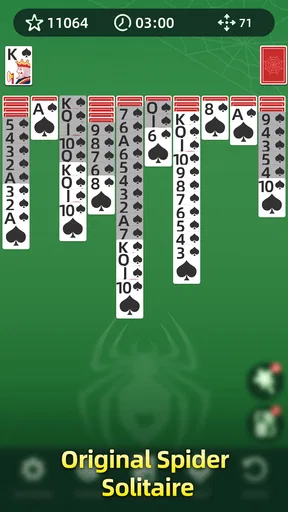
First things first, you might be wondering what makes this version of Spider Solitaire different from the rest. Well, it brings a sleek and modern design to your fingertips while still keeping the essence of the classic game intact. The visuals are clean and vibrant, which makes for a pleasant gaming experience.
The app is available for both Android and iOS, so whether you’re team iPhone or Android, you’re covered. And guess what? It’s free to download, which is always a sweet deal.
Gameplay: Classic with a Twist
When you launch the game, you’re greeted with a simple and intuitive interface. The app doesn’t bombard you with unnecessary menus or options, which I personally appreciate. You can jump right into the game with just a tap.
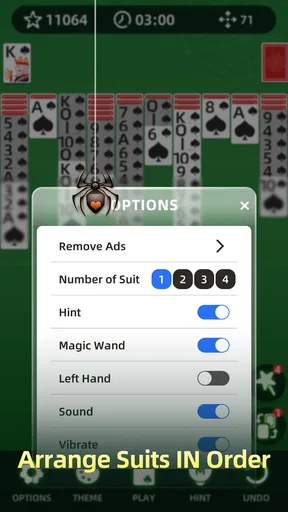
Spider Solitaire - Card 2026 offers several levels of difficulty, ranging from easy to expert. This is fantastic because it allows both beginners and seasoned players to enjoy the game at their own pace. I started with the easy level to warm up and then gradually worked my way up to the expert level. Let me tell you, the challenge definitely ramps up, and it keeps you on your toes!
- Easy Level: Great for a quick and relaxing game.
- Medium Level: Offers a bit more challenge without being overwhelming.
- Hard Level: Perfect for those who are confident in their skills.
- Expert Level: A true test of strategy and patience.
One thing I noticed is how smoothly the cards move across the screen. The developers have done a great job ensuring that the touch controls are responsive, which is crucial for a card game.
Features That Stand Out
Apart from the core gameplay, there are a few standout features in Spider Solitaire - Card 2026 that make it worth your time.
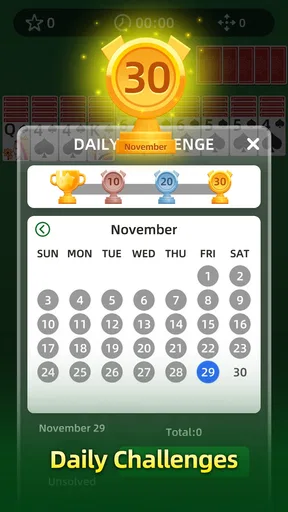
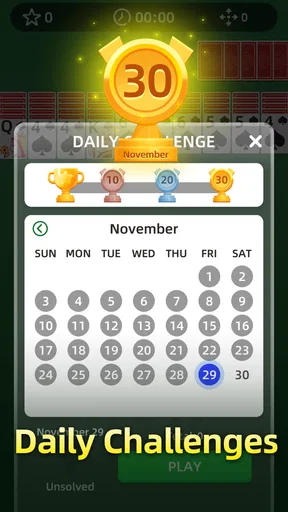
- Daily Challenges:
- Every day, you get a new challenge to complete, which is a fantastic way to keep things fresh. It’s like your daily dose of brain exercise!
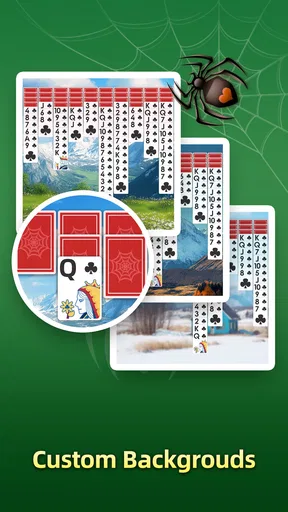
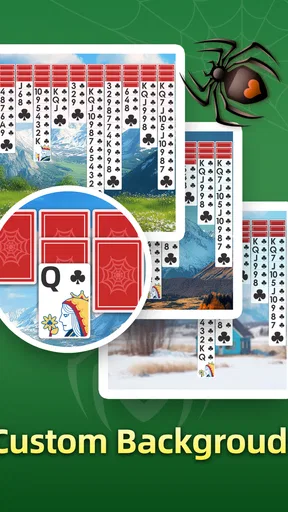
- Customizable Decks:
- You can choose from various deck designs and backgrounds. It’s a minor detail, but it adds a personal touch to your gaming experience.
- Hints and Undo:
- For those moments when you’re stuck, the hint feature gives you a nudge in the right direction. And if you make a mistake, the undo option is a lifesaver.
Visuals and Sound
Visually, the game is quite appealing. The graphics are sharp, and the color schemes are easy on the eyes. It’s one of those games where you can play for hours without feeling any strain.
The sound effects are subtle and not overbearing, which is a relief. I usually prefer playing games with my sound off, but this one didn’t bother me at all. The gentle shuffle of cards and the satisfying click when you place a card in the right spot add to the overall relaxing vibe.
Progression, value, and the long-term fit
Daily challenges give regular players a reason to return, while the difficulty choices provide a straightforward way to keep familiar rules engaging. I would not treat either as a promise of a deep progression track: the lasting appeal is mainly in learning to read the layout and making better decisions from hand to hand. If you enjoy seeing your own judgment improve, that can be enough; if you need unlocks, a story campaign, or a visible collection of achievements to stay motivated, this may feel spare.
There is also a useful trade-off between convenience and deliberate play. Hints and undo can soften frustration, especially when you are learning, but leaning on them too heavily can make a hand feel solved for you rather than by you. I’d use a hint to break a genuine deadlock and undo to inspect a choice, then continue without assistance. That keeps the tools helpful without letting them replace the planning that makes Spider Solitaire satisfying.
Compared with Klondike solitaire, Spider asks me to manage longer sequences and more tangled columns, so it usually feels more like a spatial puzzle than a quick card sort. Compared with competitive card games, it has no opponent to read or pressure to answer immediately. That is a strength when I want quiet focus, but a limitation if I am looking for social play or a changing match-up. The game’s classic structure is also less surprising than a card battler with new rules, so the appeal depends on whether you enjoy refining familiar decisions.
A realistic break, and a few practical choices
On an ordinary day, I might open it while waiting for a delayed appointment. I can start a hand, make a few careful moves, and stop when I need to pay attention elsewhere. The best approach is to avoid beginning a fresh hand if I only have a moment and know I dislike leaving a puzzle unfinished. During a longer wait, I can settle in, sort the visible runs, and use the pause between moves to think rather than tapping through the board.
For easier play, I would prioritize uncovering hidden cards and keeping same-suit runs together where possible. When the board gets crowded, I would check whether moving a short sequence opens a path to a more useful card, rather than making a move solely to clear one column. These are modest habits, but they help turn a casual hand into a deliberate puzzle. If you find that you are repeatedly stuck, stepping back to a lower difficulty is more useful than treating every tough layout as a test of patience.
The visuals and touch response matter more than they might in a slower tabletop game because small cards and imprecise taps can interrupt concentration. Here, moving cards feels smooth, and the restrained presentation supports the game rather than competing with it. Still, anyone who prefers more animation, richer themes, or a lively competitive atmosphere may find this understated style plain. It is best approached as a focused card table, not as a spectacle.
What to know before installing
NiuAIGO is the developer, and the game is free to download, with optional in-app purchases priced from $2.99 to $9.99 per item. I would start without buying anything and see whether the core routine suits me; the basic appeal is the card puzzle itself, while purchases are a separate choice. It is rated for Everyone, has a 4.5 average from around one thousand ratings, and has passed one hundred thousand installs. Those figures suggest that it has found an audience, though they cannot tell you whether its pace matches your own taste.
The release date is November 29, 2024, and the current version is 1.0.8. It requires Android 6.0 or later. Before installing, I would check that the device meets that requirement and consider whether I want a solitary, unhurried game rather than a title built around opponents or frequent new content. For a quick card puzzle without a learning-heavy setup, the low barrier to starting is appealing.
Progression verdict: steady, not demanding
For me, the game’s goals and pacing work best when I treat each layout as its own small problem. The daily challenges add a nudge to return, while selectable difficulty lets a beginner build confidence and a practiced player seek a tighter test. The experience does not need elaborate unlocks to be enjoyable, but players who measure progress through rewards and new systems may want a more progression-focused alternative.
My overall recommendation is for people who like the patient, strategic side of card games and want something they can pick up without a long commitment. I would skip it if I mainly wanted multiplayer interaction, a narrative, or constant novelty. As a free Spider Solitaire game from NiuAIGO, it gives the familiar format a clean, comfortable home, and its strongest reason to keep playing is still the simple satisfaction of turning a difficult tableau into orderly sequences.
Final Thoughts: Is It Worth the Download?
After spending quite some time with Spider Solitaire - Card 2026, I can confidently say it’s worth checking out. Whether you’re a solitaire newbie or a seasoned pro, this app delivers an enjoyable experience. It’s perfect for killing time during your commute or winding down after a long day.
If you’re looking to download it, you can find it on both the Google Play Store and the Apple App Store. Give it a whirl and see how you enjoy this modern take on a classic game. Happy gaming!
Pros
- Smooth and intuitive interface.
- Multiple difficulty levels available.
- Offline play without ads.
- Customizable card designs.
- Daily challenges for extra rewards.
Cons
- Limited hints can stall progress.
- In-app purchases are pricey.
- Occasional crashes on older devices.
- No multiplayer mode available.
- Lacks detailed tutorials for beginners.
FAQs for Spider Solitaire - Card 2026
What is Spider Solitaire - Card 2026 and how does it differ from other solitaire games?
Spider Solitaire - Card 2026 is a modern take on the classic solitaire card game, offering enhanced graphics and smooth gameplay. Unlike other solitaire variations, Spider Solitaire uses two decks of cards, and the objective is to arrange all cards in descending order within the same suit. This version includes unique features like customizable themes and daily challenges, elevating the traditional experience.
Is Spider Solitaire - Card 2026 free to play, or are there in-app purchases involved?
Spider Solitaire - Card 2026 is free to download and play, providing a great entry point for card game enthusiasts. However, it includes optional in-app purchases such as ad removal and additional themes. These purchases are designed to enhance your gaming experience but are not required to enjoy the core gameplay.
What are the system requirements for Spider Solitaire - Card 2026 on Android and iOS?
For Android devices, Spider Solitaire - Card 2026 typically requires Android 5.0 and up, while iOS devices need iOS 10.0 or later. These requirements ensure smooth performance and compatibility with most modern smartphones and tablets. It's advisable to have a stable internet connection for downloading updates and accessing online features.
Does Spider Solitaire - Card 2026 offer any multiplayer or social features?
Spider Solitaire - Card 2026 primarily focuses on solo gameplay but includes social features like leaderboards and achievements. Players can compete against friends or the global community, tracking their scores and progress. While it doesn't offer direct multiplayer modes, these features add a competitive edge to the experience.
Are there any accessibility options available in Spider Solitaire - Card 2026?
Yes, Spider Solitaire - Card 2026 includes several accessibility options to cater to diverse user needs. Players can adjust text size, toggle sound effects, and select high-contrast modes for better visibility. These features ensure that everyone can enjoy the game comfortably, regardless of individual preferences or requirements.


